EICR App With No Signal: What It Must Save on Site So the Report Is Finished Before You Leave (UK, 2026)
An EICR app is only ready for a cellar if every circuit result, observation code, photo and signature stays on the device as you enter it. Here is what it must save, and a flight-mode test to run before you buy.
Updated 13 November 2026
TLDR: An EICR app works offline only if it saves every circuit result, observation code, photo and signature on the device as you enter them, and lets you finish the report before it syncs. Offline viewing of jobs is not enough. Test it in flight mode on a real board before you trust it.
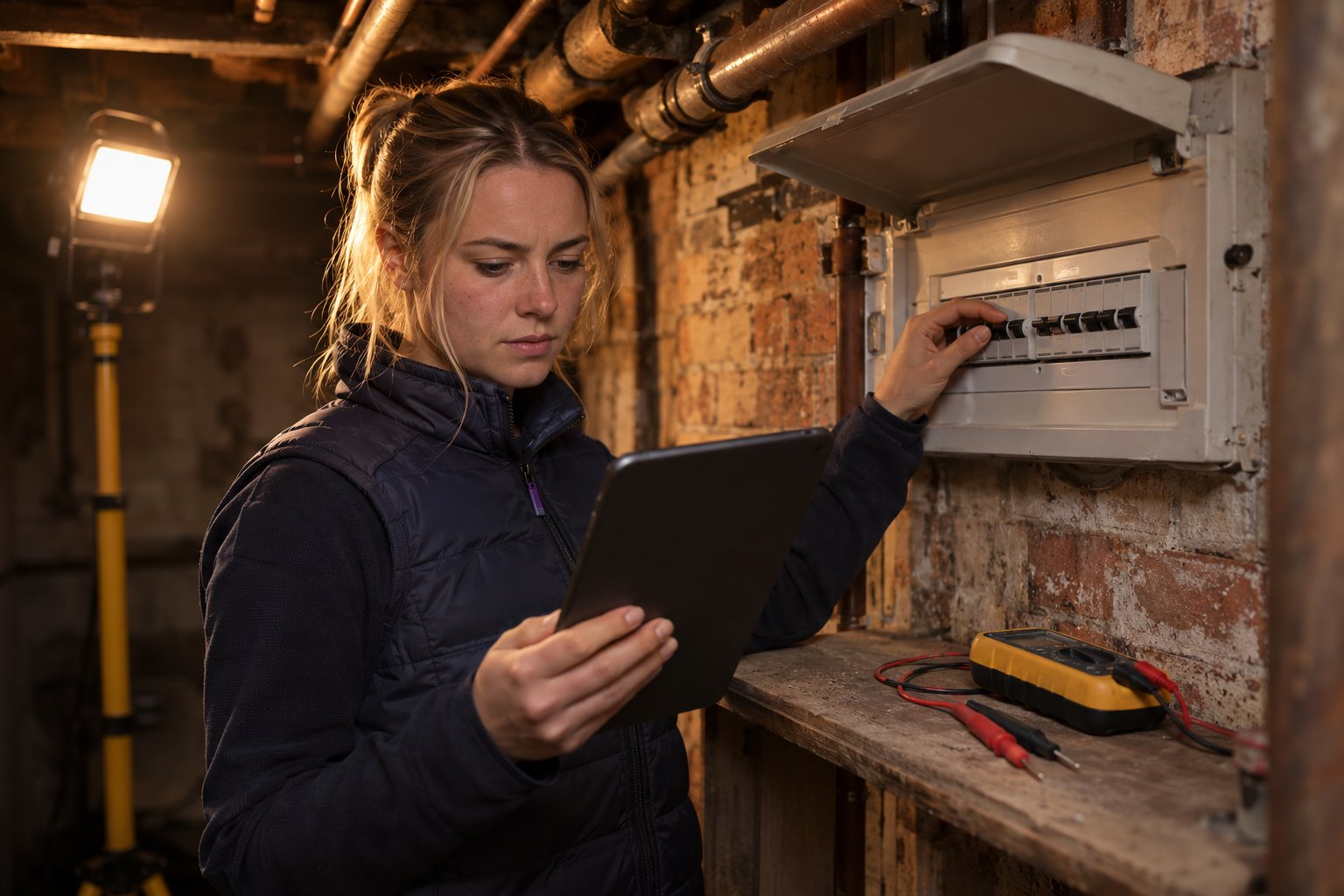
Thirty circuits into a basement board, the app spins. Now you have to decide whether to trust it, or start writing readings on the back of a test sheet. Make that decision before you go down the cellar steps.
An Electrical Installation Condition Report (EICR) is one of the longest and most heavily coded reports an electrician fills in on site, so the offline test for an EICR app is stricter than for a gas record or a job sheet. Every entry has to be safe on the device the moment you type it, and the report has to be finishable with no signal at all. Vendors use the word offline loosely, so the only proof is a flight-mode test on a real board before you buy.
Our home page says everything in Checker saves on your device and syncs as soon as you are back in signal, and our download page says it works offline in cellars and plant rooms. Try it on a real board in the 30-day free trial, with no card needed. Get Started Free
Jump to:
- Why is an EICR the hardest report to finish without signal?
- What must an EICR app save on the device when the signal drops?
- Why do offline claims differ between apps?
- How do you test an EICR app in flight mode before you buy?
- What should happen when the signal comes back?
- Where does Checker fit?
- When does offline capture matter less?
- Frequently asked questions
Why is an EICR the hardest report to finish without signal?
An EICR is hard to finish offline because of its size, its codes and its sign-off. The IET model forms for BS 7671:2018+A4:2026 split the report into four parts: the report itself, a schedule of circuit details, a schedule of test results and a schedule of inspection. Amendment 4 is now the only current edition, because the IET says the transition period for Amendment 2 ended on 15 October 2026.
The test results schedule on the A4 model EICR gives each circuit up to 15 columns, numbered 17 to 31. They run from ring final circuit continuity and insulation resistance to earth fault loop impedance, RCD disconnection time and remarks. Section K holds the observations, each with a code and a reference back to the schedules, and the form notes that photographs can be attached to support them. Section G is the declaration the inspector signs.
If you need NICEIC-branded reports, NICEIC lists NOCS and Clik for its certified businesses; NOCS limits its offline claim to the most recent forms. The IET’s model EICR is a form reference, so run the flight-mode test on the exact report, schedules and declaration you will issue.
An EICR app for UK electricians must retain those schedules, observation codes and signatures together, even when the device has no signal. The codes carry weight. GOV.UK guidance for landlords defines C1 as danger present, C2 as potentially dangerous, C3 as improvement recommended and FI as further investigation required without delay. A C1 or C2 makes the report unsatisfactory, so a code that slips off one observation during a sync changes the outcome.
For rented homes in England, the clock is running too. Regulation 3 requires the landlord to give each existing tenant a copy of the report within 28 days of the inspection and test. Remedial or further investigative work must be finished within 28 days, or any shorter period the report sets. A report stuck on a phone until the weekend uses up the landlord's time.
Signal can be weakest where boards are. Ofcom's Spring 2026 Connected Nations update, based on January 2026 data, says every mobile network covers at least 99% of UK premises, but that figure is measured outside the building. A cellar intake, a plant room behind a steel door or a farmhouse with thick stone walls is a different place.
What does a dropped signal cost on a 30-circuit board?
On 13 November 2026 an electrician carries out a landlord EICR on a large rented house split into flats, with one 30-way board in the cellar and no signal below the stairs. As a backup, the electrician also writes each reading on a paper test sheet. Halfway through the observations, the app stops responding.
Our assumptions, set on 13 November 2026: each circuit has up to 15 result entries, as on the IET schedule, so at most 450 for the board, and typing one entry back in from the paper sheet takes 6 seconds.
- Result entries: 30 circuits × up to 15 columns = at most 450 entries.
- Time to re-key them from the sheet: 450 × 6 seconds = 2,700 seconds, or up to 45 minutes.
- Observations: four, each with a code, a schedule reference and a photo. The sheet holds the codes and references, but a lost photo means going back down to the board.
If the app saved each entry as it was typed, the cost of the stall is a restart and nothing more. If it only saved at the end of a page, or on upload, the electrician spends up to 45 minutes re-keying in the van that evening, and every re-typed reading is a chance for an error the landlord will rely on. An offline job management app must save those EICR readings, observations and photos as they are entered, so reopening the report recovers the board without re-keying. A flight-mode test shows which of those two apps you have.
What must an EICR app save on the device when the signal drops?
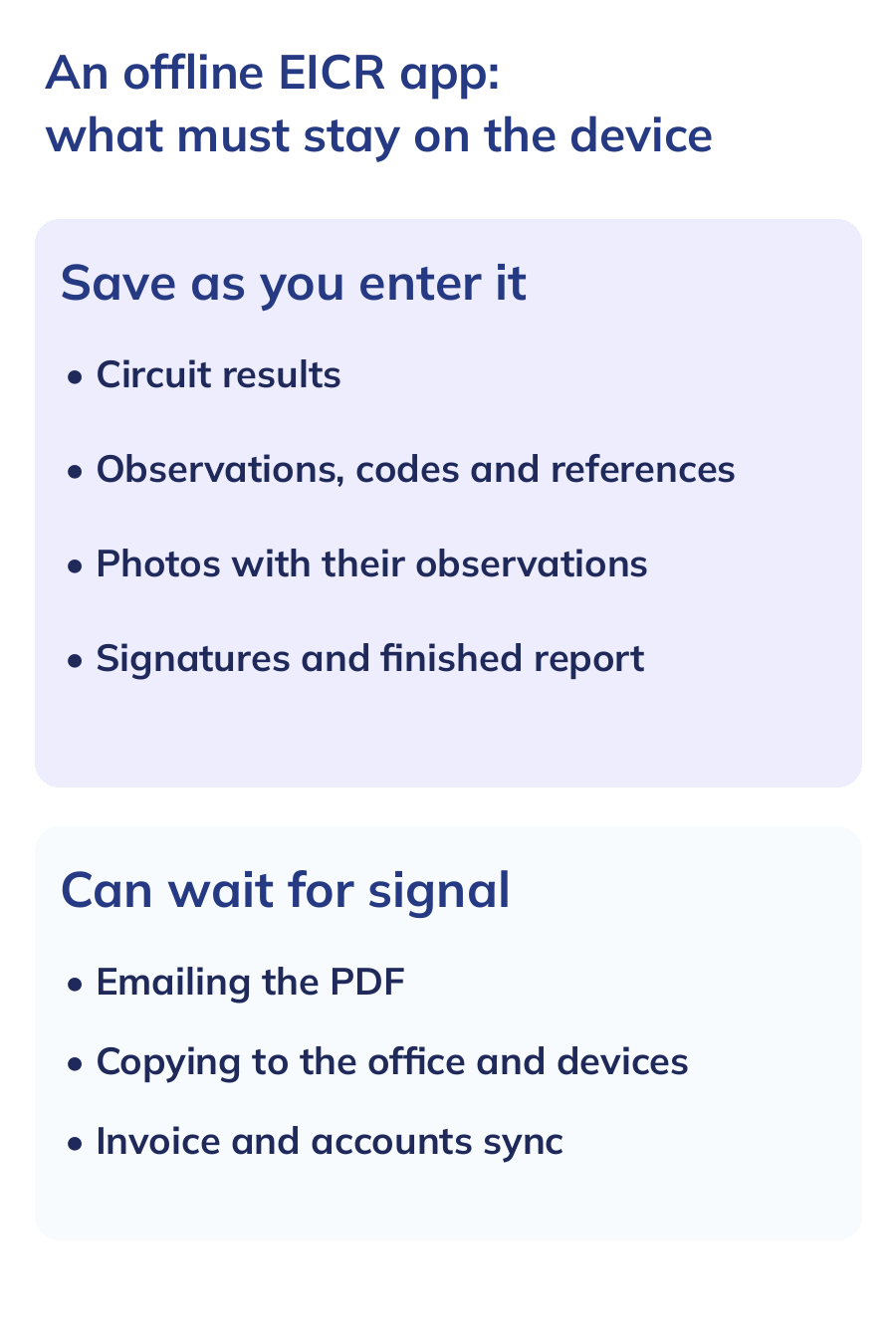
An EICR app is ready for work without signal only if four things stay on the device as you enter them, and you can finish the report before any sync:
- Every result, field by field. A value should be saved when you leave the field, not when you reach the end of a page or tap upload.
- Every observation with its code and schedule reference, so a C2 on circuit 14 still points at circuit 14 after the sync.
- Photos taken in the app, attached to the observation they support and stored on the device until they upload.
- The declaration signatures and the finished report, so the report can be checked on site and, ideally, produced as a PDF, with sending queued until the signal returns.
Anything less is offline viewing: you can read the job but not safely build the report. The customer record and job details also need to be on the device before you lose signal, or you cannot start the report at all.
Why do offline claims differ between apps?
Offline claims differ because vendors use the same word for different promises, and the detail sits in help pages, not headlines. Three published examples, all checked on 13 November 2026, show the range:
- Gas Certificate App, a gas certificate tool, asks you to switch Offline Mode on before entering a poor-signal area. It covers new certificate work; opening previous certificates and PDFs, and sending a completed certificate, still need internet.
- iCertifi, an electrical certificate app, says on its home page that you can create and complete certificates and produce the PDF with no internet connection, and that its AI features need a connection.
- Checker, our app, asks you on the download page to leave it open on first use while your files download for offline use, roughly 10 seconds per 100 files.
Each promise changes what you do before you walk down to the board. Only a test on your own device shows which promise you are buying. Our EICR software comparison covers how the wider field handles offline working, and the same question for gas reports is in our offline gas engineer app guide.
How do you test an EICR app in flight mode before you buy?
Run one full EICR on a board you know with every radio off, then check what survived. On an iPhone, Apple says Airplane Mode turns off mobile data and Wi-Fi, but you can switch Wi-Fi and Bluetooth back on while it is active, so check the Wi-Fi icon as well. A hotspot in the van makes the test meaningless.
- Prepare while connected. Open the app, create a test customer and job, and let any offline download finish.
- Cut every connection. Turn on flight mode and check that Wi-Fi is off too.
- Fill a real schedule. Enter the supply details and the test results for at least ten circuits.
- Add coded observations. Record a C2 and a C3, each with a schedule reference and a photo taken in the app.
- Force-close and reopen. Close the app fully, reopen it still offline and check every reading, code and photo.
- Sign and finish. Complete the declaration signatures and try to produce the PDF, noting whether it works offline or waits for signal.
- Reconnect and compare. Turn signal back on and check the report appears once, unchanged, on a second device or the web.
If any step fails, you have found out on a test board, not in a tenant's cellar. Our offline job management guide covers the same idea for job sheets and invoices.
What should happen when the signal comes back?
When signal returns, the app should send one copy of the report, unchanged, and show you that it has. Three quick checks catch most problems:
- Count it. The report appears once on the web or a second device, not twice.
- Compare it. Spot-check three readings, one observation code and one photo against the phone.
- Read the status. The app marks the report as synced, not merely saved.
The riskiest case is editing the same report on two devices while both are offline, because one set of changes may overwrite the other. None of the offline pages above says how it resolves that. Our own pages say Checker saves work on the device and syncs it when you are back in range. They do not describe two offline edits to one report (pages checked on 13 November 2026: electrical software, home page and download). Until you have tested it, keep each EICR on one device until it has synced.
Then send it. The landlord's 28 days for the tenant's copy start at the inspection and test, so a report that syncs on the drive home keeps that time intact. Our guide to creating and sending electrical certificates on site covers the sending step.
Where does Checker fit?
Checker produces EICRs for installations with a supply up to 100A, alongside the Electrical Installation Certificate and the Minor Electrical Installation Works Certificate, from the job record. Our electrical software page says you can fill in forms in a basement, a plant room or a new build with no working connection. Checker saves the work on the device and syncs it when you are back in range.
Once a report has synced you can pick it up on another device, and the customer can sign on your screen with a finger, which our digital forms page says locks the signature into the PDF. Records and reports are unlimited on every plan, with no charge per report. LITE is £10.99, PRO £19.99 and PRO+ £25.99 a month plus VAT. PRO adds the customer database, service reminders, job scheduling and accounts sync, and PRO+ adds staff logins (pricing, checked 13 November 2026).
Our pages do not say whether the PDF can be created with no signal, or how two offline edits to one report are resolved. An EICR on a supply above 100A is outside Checker's EICR form. So run the flight-mode test above during the 30-day free trial, which needs no card, before you rely on Checker in a cellar.
When does offline capture matter less?
Offline capture in an EICR app matters less for a UK electrician if the boards sit where the signal is good, or the tester already holds the readings. An electrician working mostly in town-centre homes with the board in a hallway cupboard may never see the app wait.
A multifunction tester with its own memory also changes the risk. Megger's MFT1741+ datasheet, hosted by Farnell, lists storage for 1,000 results with Bluetooth download. In that setup the readings survive a dropped connection inside the tester, but the observations, photos and signatures still live in the app, so the flight-mode test still applies to them.
Frequently asked questions
Can I issue an EICR with no mobile signal?
You can complete it if your EICR app saves every result, code, photo and signature on the device, and some apps can also produce the PDF offline. Emailing it to the landlord or tenant needs a connection, so expect sending to wait until you are back in signal.
How do I test an EICR app without Wi-Fi?
Test the EICR app with mobile data and Wi-Fi both off. On an iPhone, Airplane Mode turns them off, but Apple says you can switch Wi-Fi and Bluetooth back on while it is active. Check Wi-Fi is still off, then complete and reopen a test report before choosing the app for work without signal.
Do I pay for each EICR I produce?
It depends on the app, so read its pricing page before a busy landlord season. Checker's plans include unlimited records and reports with no charge per report, from £10.99 a month plus VAT.
Which BS 7671 forms should an EICR app support in 2026?
Check that the app supports the forms for BS 7671:2018+A4:2026, including the schedules for circuit details, test results and inspection. The IET says the transition period for Amendment 2 ended on 15 October 2026, so Amendment 4 is the current edition. Its model forms are free to download for comparison before you choose an EICR app. For NICEIC-branded reports, check NICEIC’s certified-business routes and demonstrate the exact EICR offline before choosing the app.
Run your next EICR in flight mode first, in the 30-day free trial, on a board you know, and check every reading, code and photo before you trust it in a cellar. Get Started Free
Authoritative sources
- IET: BS 7671 18th Edition Wiring Regulations
- IET: model forms for BS 7671:2018+A4:2026
- IET: model Electrical Installation Condition Report, A4:2026
- GOV.UK: electrical safety standards in the private and social rented sectors, guidance
- legislation.gov.uk: Electrical Safety Standards Regulations 2020, regulation 3
- Ofcom: Connected Nations update, Spring 2026
- Apple: use Airplane Mode on your iPhone
- Gas Certificate App: Offline Mode
- iCertifi: electrical certificate software and apps
- Megger: MFT1741+ multifunction tester datasheet, hosted by Farnell
- Checker: electrical software
- Checker: download the app
- Checker: digital forms
- Checker: pricing
- Checker: home page

Certificates, quotes and invoices done on site, then service reminders that bring the work back.
Same app everywhere. We show local paperwork, tax and terms, and remember your choice.