Referral code
£30 each way
Every Checker account has its own referral code, sat in the header of the web app. Copy it, send it to anyone in the trade who is thinking about Checker, and when they buy a plan the credit lands on both accounts. Theirs comes off at the checkout. Yours comes off your next bill.
Get your referral code → See all features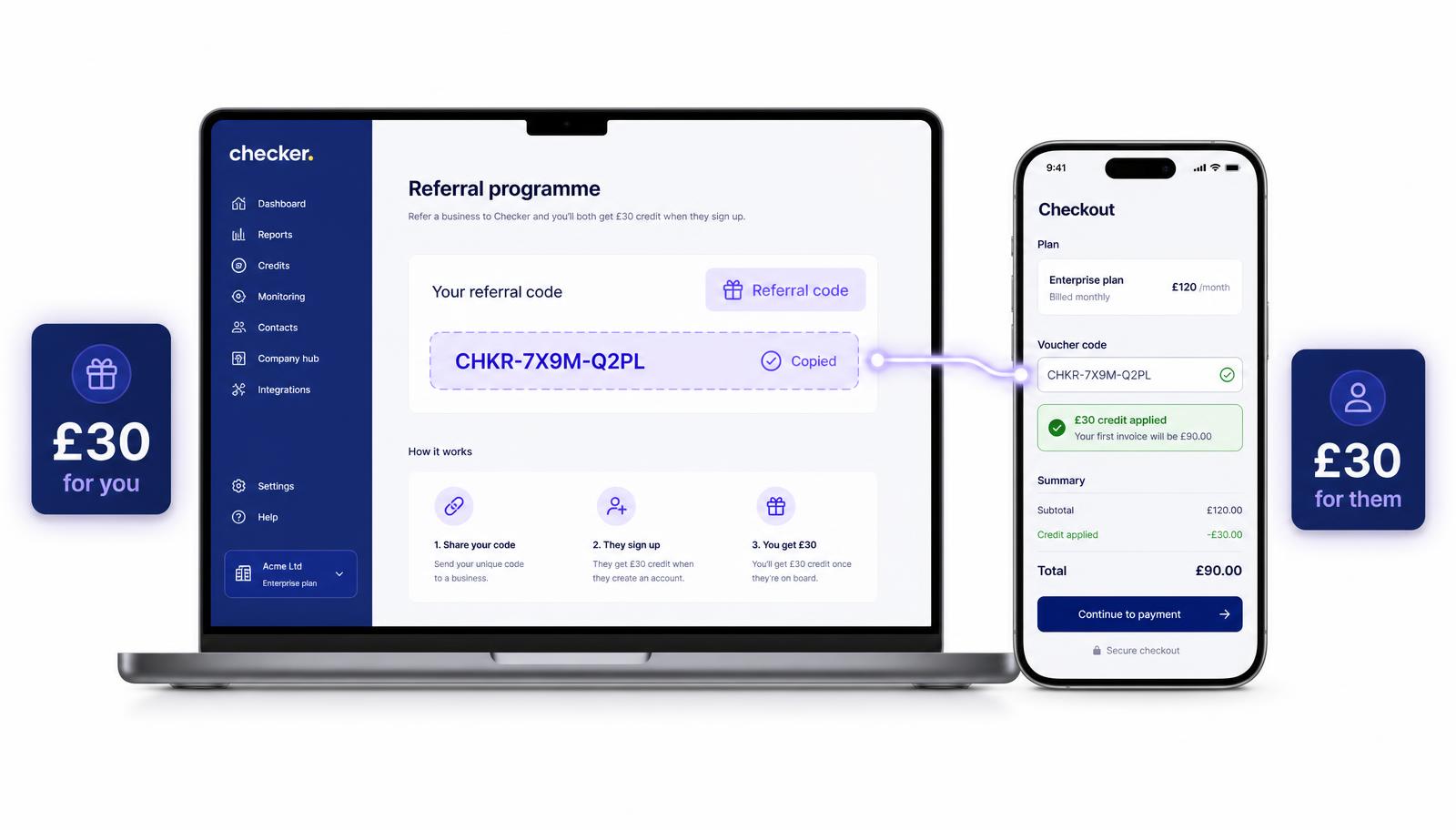
Most people who end up on Checker heard about it from another engineer, not from an advert. So we made that worth something to you.
There is no scheme to join and no form to fill in. Your code already exists. Hand it out as often as you like, and every time someone uses it to buy a plan you both end up £30 better off.
It is a unique code tied to your Checker account. You will find it behind the Referral code button in the header of the Checker web app dashboard. One press gives you the code and copies it ready to paste.
When somebody new enters that code in the voucher code box while buying a plan, Checker applies £30 of credit to their account and £30 of credit to yours. It is account credit against your Checker billing, so it cannot be redeemed for cash.
How it works
Log into the Checker web app and press Referral code at the top. Your code appears and copies in one tap. It does not expire and it does not change, so you can save it in your phone notes.
A colleague, the lad you served your time with, whoever is in the trade group chat moaning about paperwork. WhatsApp, text, email, written on a job sheet – it all works the same.
When they buy a plan there is a voucher code field on the checkout. Before their free trial, during it, or after it has finished – the code behaves the same either way.
Their £30 comes off the plan they are buying right there at the transaction. Your £30 goes onto your account instantly and is deducted from your next automated billing.
| You (existing customer) | Them (new customer) | |
|---|---|---|
| Credit | £30 | £30 |
| When | The moment their payment goes through | Right there at the checkout |
| Applied to | Your next automated billing | The plan they are buying |
| Cash out? | No – credit only | No – credit only |
On an annual plan that is a straight £30 off the payment. On monthly it usually covers a couple of payments, depending on the plan.
✓ One code per account, use it as many times as you like
✓ £30 to the referrer and £30 to the new customer
✓ Entered as a voucher code during checkout
✓ Works before, during or after a free trial
✓ Applied automatically – nothing to claim
✓ Credit against Checker billing, not redeemable for cash
FAQ
In the header of the Checker web app dashboard there is a Referral code button. Press it and your unique code appears, ready to copy.
£30 for the person you refer and £30 for you. It is Checker account credit and cannot be redeemed for cash.
Instantly, on both sides, as soon as the person you referred buys a plan. Theirs is taken off at the point of purchase, yours is deducted from your next billing cycle.
In the voucher code field when they buy a plan. That can be before they start a free trial, part way through it, or once the trial has ended.
As many as you want. The same code works every time, and each person who buys a plan with it earns you another £30 of credit.
No. Referral credit sits on your Checker account and comes off what you owe. It is not redeemable for cash and it is not transferable.
Yes. On annual billing the £30 comes off in one go. On monthly it works through the credit across the next payments until it is used up.
No. It is applied automatically to both accounts as part of the transaction. Nothing to email us about.
Grab your code from the web app header and stick it in a group chat. New to Checker? Start the free trial and you can hand yours out too.
Start your free trial →Quick question? Mon to Fri, 9am to 5pm.
Chat on WhatsAppGet the app
Rather someone walked you through it? Book 15 minutes.
