
How to Choose Gas Engineer Software: A Buyer’s Guide (2026)
Seven questions worth working through before you buy gas and heating engineer software: business size, real pricing models, offline capability, certificate compliance, accounting sync direction, and contract terms, with evidence from the UK products engineers are actually comparing.
Updated 2 October 2026
How to Choose Gas Engineer Software: A Buyer’s Guide
Seven questions worth working through before you commit, with real evidence from the UK products gas and heating engineers are actually comparing right now.
By Daniel Sedgwick, Founder and Managing Director of Checker
Most “best gas engineer software” content is a ranked list. Fair enough if you already know roughly what you want and just need names. But a ranked list can’t tell you whether per-user pricing will quietly double your bill in year two, whether “works offline” means the whole certificate or just the customer’s name, or what happens to your data if you want to leave. Those are the questions that actually decide whether the software earns its keep, and they don’t fit neatly into a top-five table.
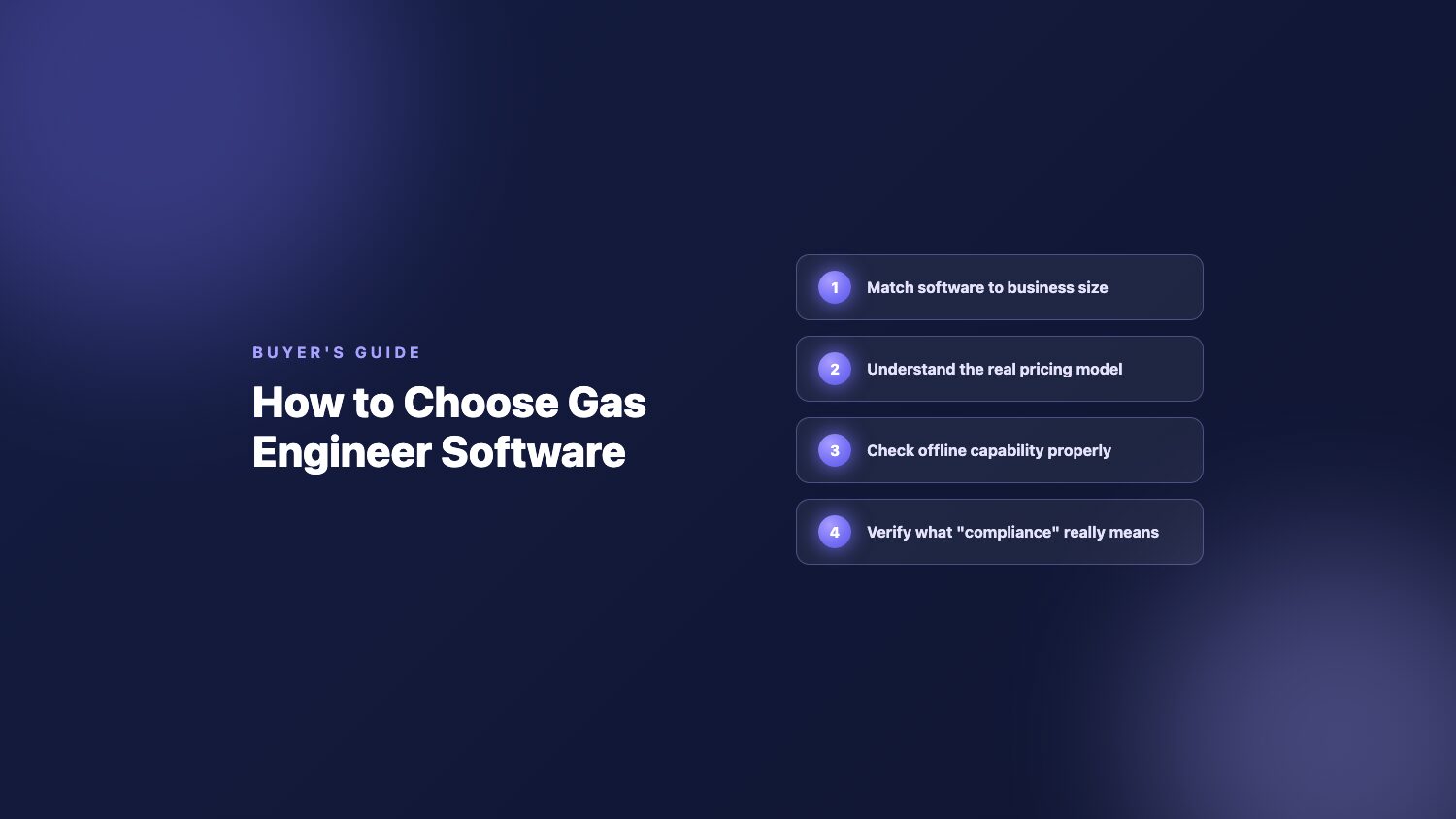
This guide works through seven of them in order, roughly the order a tradesperson would naturally hit them: whether you need dedicated software at all, matching the tool to your business size, understanding the real pricing model, checking offline capability properly, verifying what “compliance certificates” actually covers, asking which direction accounting sync runs, and reading the contract before you sign it. Real products come up throughout as evidence, not as a ranking. None of this is about finding “the best” software in the abstract. It’s about finding the one that fits how you actually work.
Key takeaways
- Per-user pricing (Tradify £34 to £44/user/month, Commusoft roughly £59/user/month, Gas Engineer Software £19 to £32/user/month) scales with headcount in a way flat or tiered pricing doesn’t. For a solo engineer the distinction is academic; for a five-person team it’s usually the biggest single cost driver.
- “Offline” isn’t one feature, it’s a spectrum. Tradify has no offline mode at all, confirmed on its own help centre. Others let you view cached data offline but not complete a new certificate. Ask specifically what breaks when the signal drops, not just whether offline mode exists.
- “Integrates with your accounting software” often means one-way. Gas Engineer Software’s Xero link is genuinely two-way, but its QuickBooks and Sage links are outbound only by its own help centre’s admission. Commusoft’s own knowledge base describes its sync as a one-way interface. Ask which direction, every time.
- Business size changes what “good” looks like. Commusoft’s own FAQ states a six-or-more-staff minimum. Powered Now’s entry tier excludes the certificate feature most gas and heating engineers actually need it for. Read the fine print on what’s included at the price you’re being shown, not the headline number.
- Checker is one example of the flat/tiered model in the pricing section above: tiers from £10.99/month, with sub-users available as a paid add-on on the PRO+ tier, rather than a per-user multiplier that climbs every time someone joins the team.
On this page
- Do you actually need dedicated software?
- Match the software to your business size
- Understand the real pricing model
- Check offline capability properly
- Verify what “compliance certificates” means
- Ask which direction accounting sync runs
- Read the contract and trial terms first
- How to actually run the evaluation
- Frequently asked questions
Do you actually need dedicated software, or will your current setup hold up?
Worth answering honestly before comparing a single feature list. A spreadsheet plus a standalone certificate app can genuinely be enough if certificates are the only real paperwork problem in the business. Dedicated job management software starts paying for itself when quoting, invoicing, scheduling and compliance chasing are each happening in a different place, none talking to each other, and admin has crept up to several hours a week that used to be billable time on the tools.
The trade-off worth understanding here runs through the rest of this guide: a narrow, certificate-only tool does one job well and nothing else. iCertifi’s GasCert product, for example, is certificate-only, with no job scheduling, invoicing, or accounting integration of any kind. That’s a reasonable choice if certificates really are the whole problem, and stops being enough the moment quoting or chasing unpaid invoices becomes the bigger time sink, which for most growing trades businesses happens sooner than expected.
Rule of thumb: if you’re already juggling three or more separate tools or paper systems for quotes, invoicing, scheduling and certificates, the admin time you’re losing to switching between them is usually the real cost, more than the software’s monthly price.
Match the software to your business size, not just your trade
Business size changes what a piece of software needs to do well, and some platforms are explicit about who they’re built for. Commusoft’s own FAQ states plainly that it is designed for businesses with six or more staff, a real, stated minimum rather than an inference from pricing. That’s a genuine positioning choice, and it means a sole trader evaluating Commusoft is looking at a tool built for a different kind of operation entirely.
At the other end, Gas Engineer Software and Tradify are both consistently framed around sole traders and small outfits, with pricing and workflow that assume one or two engineers rather than a dispatch team. Checker sits without a stated minimum in either direction: flat-tier pricing plus a paid per-seat add-on for growth positions it to work at either end, though it hasn’t been proven at the six-plus-staff scale the way Commusoft has built specifically for that tier.
The distinction worth checking isn’t just the price list, it’s whether scheduling, staff permissions and multi-device support are actually designed around a team workflow or bolted onto a solo one. A platform can have reasonable per-seat pricing for a team of five and still handle job assignment like an afterthought, because the core workflow was built for one person. Ask a vendor directly how staff permissions and job dispatch work, rather than assuming team-friendly pricing means team-friendly design. Checker is one example that answers this directly: its Staff Management feature lets the master user control what each sub-user can see and do, and keeps a record of who did what and when, rather than giving every added user identical access.
Understand the real pricing model, not just the headline number
The number on the pricing page is rarely the number you’ll actually pay once the team grows or you need every feature the trade requires. Per-user pricing is the most common model among UK job management platforms: Tradify runs £34 to £44 per user per month, Commusoft’s third-party-consensus starting price is roughly £59 per user per month since Commusoft itself doesn’t publish a figure, and Gas Engineer Software runs three tiers from £19 to £32 per user per month. For a five-person team, the gap between the cheapest and most expensive of those figures compounds into a meaningfully different annual bill.
Flat or tiered pricing works differently: a fixed monthly cost for the software itself, sometimes with a separate, lower-cost add-on for extra users rather than a full per-seat multiplier. This matters little for a solo engineer, where the two models land close together, and far more for a growing team, where per-user pricing means the bill rises every time someone new joins.
The trap worth watching for is what’s actually included at the advertised price. Powered Now’s entry-level Business tier, at £28 per user per month, does not include Forms & Certificates, gating that feature to the £32 Professional tier and above. For a gas or heating engineer, certificates aren’t optional, so the realistic starting price is the higher tier, not the one on the front of the pricing page. The same check applies to Checker’s own LITE tier: it covers digital forms, quotes and invoices, while the CRM, business analytics, accountancy integrations and Growth Engine sit on PRO and PRO+. Check the full feature list against the specific tier quoted on a vendor’s own pricing page, not just the cheapest number on display.
| Product | Pricing model | Starting point |
|---|---|---|
| Tradify | Per user, per month | £34/user/month |
| Checker | Flat tier, with a paid per-seat add-on for extra users | £10.99/month |
| Commusoft | Per user, per month (third-party consensus, not published by Commusoft) | ~£59/user/month |
| Gas Engineer Software | Per user, tiered | £19/user/month |
| Powered Now | Per user, tiered (certificates require the £32 tier) | £32/user/month for certificate-inclusive tier |
Prices are ex-VAT and reflect each vendor’s own published rates checked directly on their pricing pages; Commusoft’s figure is third-party consensus since the company does not publish its own pricing.
Check offline capability properly, don’t just take “yes” for an answer
This is where the gap between what a features page claims and what actually happens on site is widest. Tradify has no offline mode at all, confirmed directly on its own help centre, which means a dropped signal in a basement or plant room stops work on the spot until coverage returns. That’s a real, specific, and frequently cited reason UK trades businesses look for an alternative.
Most competitors now claim some form of offline support, but the depth varies. Commusoft states plainly that its mobile app never needs a signal to operate. Gas Engineer Software’s own FAQ confirms the mobile app “supports offline access, so you can complete records and certificates without a signal.” Powered Now’s dedicated offline feature page confirms the same, including full form and certificate completion. Checker’s own product pages state the claim in concrete terms: work continues with “one bar of 3G” or no signal at all, saved locally and synced to the cloud the moment a connection returns.
The real, buyer-relevant question isn’t “does it have offline mode,” it’s where that capability breaks down. Some tools only let you view previously cached data with no signal. Others let you complete a full certificate from scratch, save it locally, and queue it for sync whenever coverage comes back, even hours later. Ask a vendor directly: can I start and finish a certificate with zero signal, not just look at one I already filled in? That single question separates genuine offline capability from a marketing checkbox.

Verify what “compliance certificates” actually means for this product
Every gas and heating software product researched for this guide, Checker included, stops at template and format compliance rather than direct submission to a regulator’s own registry. Checker’s own Digital Forms page states its certificates “follow Gas Safe, OFTEC and BS7671 layouts” and that a signed digital PDF “is accepted by landlords, letting agents, insurers and Building Control across the UK and Ireland.” That’s a specific claim: the certificate follows the correct layout and is accepted by the people who need to see it, not that it’s automatically filed with Gas Safe Register itself.
Some vendors word this more assertively. Tradify’s own feature page markets the ability to “submit directly to Gas Safe with no logging into a separate system,” language that reads as a stronger claim than format compliance. Worth checking precisely what that means before assuming it’s a true registry-integration differentiator over a product that only claims layout compliance, since the gap between “generates the correct form” and “files it with the regulator” matters a great deal if it’s real.
What to ask a vendor directly: “Does this certificate get filed with Gas Safe Register automatically, or does it follow the correct layout for me to send on myself?” Most answers, honestly given, will be the second one. Treat any claim of automatic registry submission as worth double-checking rather than taking at face value.
Ask which direction accounting integrations actually sync
“Integrates with Xero” sounds like a settled yes-or-no question, but the direction that sync runs matters far more than whether it exists, and it’s a pattern that repeats once you look closely. Gas Engineer Software’s own help centre confirms its Xero integration is genuinely two-way: “changes made on either system will automatically reflect on the other.” The same help centre states, just as explicitly, that QuickBooks and Sage sync is outbound only, with changes made on those platforms never flowing back.
Commusoft’s own knowledge base describes its accounting sync, across Xero, QuickBooks, Sage, FreeAgent and Kashflow, as a “one way interface,” despite marketing copy elsewhere implying something closer to two-way. Powered Now is narrower still: Xero is its only accounting integration at all, and even that link is outbound only per its own support article. Checker’s confirmed integration partners are KANE, iZettle, Xero and QuickBooks; Sage appears on Checker’s own pricing page and App Store listing but is currently absent from its partners page, an inconsistency on Checker’s own site worth being upfront about.
A one-way, outbound-only sync still means manually reconciling anything changed on the accounting side, none of which flows back automatically. For a VAT-registered sole trader doing their own books, that gap defeats a good chunk of what an integration is supposed to save. The question worth asking every vendor is simply: which direction does the sync go, and does it apply to every platform you support or only one?
Read the contract and trial terms before you commit, not after
Trial length and contract terms vary more across this category than most buyers expect. Checker offers a 30-day free trial with no card required, longer than most of the category. Fourteen days is the more typical length: Tradify, Gas Engineer Software, and Powered Now all offer 14 days with no card needed. iCertifi’s GasCert is the shortest found anywhere in this comparison at just three days. Commusoft sits at the other extreme, with no self-serve free trial at all, a demo-call-only sales process, and typically a 12-month contract for standard licences, the most restrictive terms of any product covered here.
Beyond trial length, a handful of general red flags are worth checking in any software contract, not specific to this category: vague service-level language instead of a concrete response-time commitment, no clause guaranteeing you can export your own customer, quote and invoice data if you leave, automatic renewal with a narrow cancellation window, steep early-termination fees, and support restricted to office hours for a tool you’d be relying on out on site around the clock.
One useful piece of context: new UK rules under the Digital Markets, Competition and Consumers Act regime are set to apply from spring 2027, introducing two separate mandatory 14-day cooling-off periods, one at initial sign-up and another tied to free trial conversions and subscription renewals, plus a requirement that businesses provide a straightforward way to exit a subscription at any time. It’s worth being aware of as the contract landscape shifts, but it’s framed specifically around consumer contracts, and whether a sole trader buying software for their business counts as a consumer for these purposes isn’t settled either way. Don’t assume it automatically covers a B2B purchase, read the actual terms you’re being asked to sign regardless of what regulation may or may not apply.
| Product | Trial length | Card required | Contract |
|---|---|---|---|
| Tradify | 14 days | No | Not stated |
| Checker | 30 days | No | No contract, cancel anytime |
| Gas Engineer Software | 14 days | No | No contracts, stated explicitly |
| Powered Now | 14 days | No | Not stated |
| iCertifi / GasCert | 3 days | Not stated | Not stated |
| Commusoft | No self-serve trial | N/A, demo-call only | ~12 months for standard licences |
How to actually run the evaluation
Reading feature pages only gets a buying decision so far. The most reliable test is a real free trial through one actual working week, not a sales demo, with one real engineer doing real jobs: a certificate completed with no signal, an invoice chased automatically, a quote followed up without anyone typing a reminder by hand. Software that looks identical on a features page can feel completely different once it’s carrying real jobs for five days straight.
List your must-haves
Certificates, offline completion, and the accounting platform you actually use, before looking at a single vendor.
Check pricing at your real team size
Price out the plan you’d actually need in 12 months, not the cheapest tier on the page today.
Run the trial on a real job
One full working week, one real engineer, no signal at least once, before deciding.
Confirm you can export your data
Every customer, quote, and invoice, in a usable format, before you sign anything long-term.
A couple of the criteria above happen to be where Checker holds up well: flat pricing that doesn’t climb with every new hire, offline certificate completion stated in concrete terms rather than vague marketing copy, and an Automations engine that chases quotes, invoices and service renewals without anyone typing a reminder. None of that makes it automatically the right answer for every trade or team size, and the point of working through the criteria above is to find out whether it, or anything else, actually fits how your business runs.
Frequently asked questions
What’s the real difference between per-user and flat-rate pricing for job management software?
Per-user pricing charges a fee for every engineer added to the account, so the monthly bill grows in step with headcount. Tradify charges £34 to £44 per user per month, Commusoft is priced at roughly £59 per user per month by third-party consensus since Commusoft itself won’t publish a figure, and Gas Engineer Software runs three per-user tiers from £19 to £32. Flat-rate or tiered pricing charges a fixed amount for the software regardless of team size, with extra users sometimes added at a lower add-on rate. For a sole trader the distinction barely matters. For a team of five, it’s usually the single largest driver of what the software actually costs over a year.
Does the software actually work offline, or does it just say it does?
Most job management software now claims some form of offline support, but the depth varies a lot. Tradify has no offline mode at all, confirmed directly on its own help centre, which is one of the most commonly cited reasons UK trades businesses look for an alternative. Commusoft states its mobile app never needs a signal to operate. Gas Engineer Software and Powered Now both confirm certificate and form completion works with no connection and syncs automatically once back in range. The useful question to ask a vendor isn’t just yes or no, it’s whether you can complete and save a full certificate with zero signal, or only view previously loaded data.
What questions should I ask about accounting integration before I commit?
Ask specifically which direction the sync runs, not just whether an integration exists. Gas Engineer Software’s own help centre confirms Xero syncs genuinely two-way, but QuickBooks and Sage are outbound only, meaning changes made on the accounting side never flow back. Commusoft’s own knowledge base describes its accounting sync as a one-way interface despite marketing copy elsewhere implying two-way. Powered Now connects to Xero only, and even that link is outbound. A one-way sync still means manually reconciling anything changed on the accounting side, which defeats much of the point of having an integration at all.
How do I know if I need software built for a team of five or more rather than a solo setup?
Some platforms state a minimum outright. Commusoft’s own FAQ says it is designed for businesses with six or more staff. Others, like Gas Engineer Software and Tradify, are consistently positioned as sole-trader-first. The distinction that matters isn’t pricing alone, it’s whether scheduling, permission levels and multi-device support are actually built around a team workflow or a solo one. A product can have team-friendly pricing and still be functionally designed around a single engineer, so ask specifically how the platform handles staff permissions and job assignment, not just what the price list says.
What contract length and trial terms should I expect, and what’s a red flag?
Fourteen days with no card required is the most common trial length among UK gas and heating software. Checker offers 30 days with no card and no contract, free to cancel anytime. Commusoft offers no self-serve trial at all, requiring a demo call and typically a 12-month contract for standard licences. Red flags to watch for in the contract itself include vague service-level language instead of concrete commitments, no clause guaranteeing you can export your own customer and job data, automatic renewal with a narrow cancellation window, and support that’s restricted to office hours for a tool you’d be using on site around the clock.
Does the certificate feature actually meet Gas Safe, OFTEC or BS7671 requirements, or is it just a PDF template?
Every UK gas and heating software product researched for this guide, including Checker, stops at template and format compliance rather than direct submission to a regulator’s own registry. That means the certificate follows the correct layout and is accepted by landlords, letting agents, insurers and Building Control, not that it’s automatically filed with Gas Safe Register on your behalf. Some vendors word this more assertively than others in their marketing, so it’s worth asking a vendor directly whether they mean format compliance or an actual registry submission integration before assuming the stronger claim.
What’s the difference between an automated reminder and real compliance automation?
A reminder tells a customer their certificate is due. Compliance automation goes further: it chases the whole cycle without you touching it, from the initial quote through invoice payment to the next renewal, with escalating follow-ups and a clear stopping point once the job is settled or paid. Checker’s own Automations engine runs four such workflows, including an Annual Service Reminder that fires 11 months after a customer record is created and references boiler safety and gas safety certification by default. Most competitors researched for this guide offer service-due reminders but not the full multi-stage chase across quotes and invoices as well.
See where Checker fits your own checklist
Flat pricing, offline certificate completion, and automated quote, invoice and service-renewal chasing, all in one 30-day trial with no card required.
Get Started Free