Field Service Software for a 1-5 Person UK Trade Team: The Demo That Reveals the Handoffs
Field service software for a small UK trade team should be judged on handoffs. Demo a reschedule, a reassignment, an offline form and an unapproved extra on the plan you would buy, then compare price.

Updated 1 November 2026
TLDR: The best field service software for a one to five person UK trade team is the one that shows, on the plan you would actually pay for, who owns each job when it changes. Demo a reschedule, a reassignment, a no-signal form and an unapproved extra before you compare prices or feature lists.
Most software demos show a job going right. The useful ten minutes is the part where the customer moves the booking, a different engineer picks it up and someone in the office tries to invoice extra work nobody approved. No feature list shows how a product behaves there.
Small is the normal shape of a trade business. At the start of 2025, 4.27 million of the UK's 5.69 million private sector businesses had no employees and a further 1.15 million employed one to nine people, according to the Department for Business and Trade's 2025 business population estimates. Construction had more small and medium businesses than any other sector, about 885,000. So the useful test is one built around the team you have now and the next person you expect to hire.
Run the demo with us, using your own team shape. Our PRO+ plan gives each engineer their own login under one business account, with the permissions you set and your price list locked. Try it free with a made-up customer before you decide.
What should a small-team demo prove?
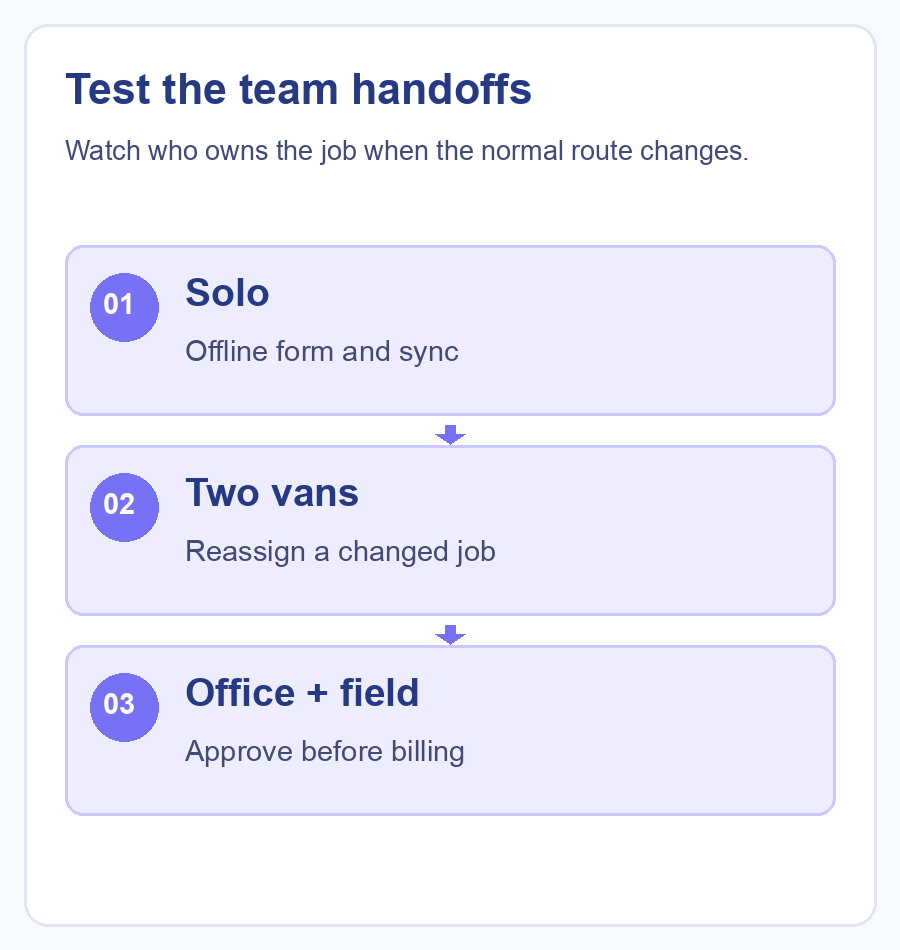
A small-team demo should prove that responsibility stays clear when a job changes. A solo operator, two vans and a small office-plus-field team have different handoffs, so each needs a different test. What they share is the method: one made-up customer, one job and the same exceptions in every product.
Use our UK field service software guide for a shortlist, then run this sequence with each vendor, on the plan you would buy:
- Book the job. Enter a booking for a made-up customer, attach the quote and give the job a reference you can search for later.
- Move it. Change the appointment time after the customer has agreed it, and check what the customer and the engineer are sent.
- Hand it over. Reassign the job to a second engineer and check what both engineers and the office can now see.
- Lose the signal. Complete the field form with the device offline, then reconnect and check which version was saved.
- Force the exception. Add extra work that nobody has approved, then try to invoice it as a user who should not be allowed to.
Mark each step as seen, not shown, or needing another plan or integration. A vendor should be able to say when a handoff is manual. A polished overview screen is not evidence of what happens to a contested job.
Who owns the job in a one-person business?
In a one-person business you own every step, so the risk is losing the customer's agreed details between the call and the visit. Ask the vendor to enter a booking, attach the quote, complete the right field record, send the invoice and then find every piece again by job reference. Then change the appointment time and watch how the customer and the record are updated.
Use the output you actually produce. For gas work that may be a report. For electrical work, use the Electrical Installation Certificate, Minor Electrical Installation Works Certificate or Electrical Installation Condition Report you would issue on a real job. A reminder can prompt a booking, but it cannot carry out an inspection or issue a report.
Ask what happens with no connection on site. With us, forms are saved on the device when you lose signal and sync when you are back in range, as our electrical software page sets out. Test that with the exact form you use in a basement or plant room, not as a blanket promise for every screen. On our plans, the diary and job scheduling come with PRO and PRO+, so a sole trader who books from a diary should demo on PRO rather than LITE.
What changes when a second van joins?
When a second van joins, the owner needs to hand out jobs without handing out the keys to prices, customer records and accounts settings. Run one booking and one urgent reassignment. Check what the first engineer sees, what the replacement sees and whether the office can tell who completed the work. If a job is paused, ask who can reopen it and whether the customer gets an old appointment time or a duplicate invoice.
Tradify's Staff Permissions breakdown (updated 29 September 2026) gives every user with a login access to Jobs and Timesheets by default, with separate switches for Quoting, Invoicing, Purchases, Reports and Financials, and Scheduling and Dispatch. ServiceM8's Security Roles overview uses preset roles such as Business Owner, Finance, Staff and Staff (No Pricing), the last of which cannot quote or invoice clients. In our PRO+ plan, each of our sub-users gets their own login and signature, and the account admin decides what they can see and change; the price list, VAT scheme and invoice templates can be locked to the admin.
None of those descriptions proves the exact role you want exists on your chosen plan. Ask each vendor to demonstrate the permission, then try the same action as a user who should not be allowed to do it.
A second person also brings obligations outside the software. If they are an employee, GOV.UK's steps for employing someone for the first time include registering as an employer for PAYE and getting employers' liability insurance. Customer names, addresses and appliance histories are personal data, and the ICO's guide to data security expects appropriate access controls around them. Separate logins help; a shared password does not.
Leavers are the test most demos skip. The National Cyber Security Centre's small organisations guidance says: "Make it a habit to review who has access to important accounts every few months, and remove anyone who no longer needs it." Ask each vendor to switch off a user and show you where that person's jobs and paperwork end up.
What should an office-plus-field team test?
An office-plus-field team should test whether the office can answer a customer without ringing an engineer. In a four or five person team, someone may take calls and raise invoices while others work on site. Give the office user a customer with two jobs, one completed and one waiting for a part. Ask the office three questions: what was approved, which record was completed and which amount can be invoiced now? Then ask the engineer to challenge a mistaken office edit.
The exception tells you more than the happy path. Try a cancelled visit, a job reopened after completion and an invoice held because the field record is missing. If an engineer and an office user both edit the same job, ask which version wins and who is alerted. Write the answer in your notes; two products that both advertise team management can still behave differently.
Check that the finished invoice stands on its own, too. GOV.UK lists what an invoice must include, such as a unique identification number, a clear description of what you are charging for and the supply date. An office user who cannot see the approved extra cannot describe it on the invoice, and the customer receives a bill nobody can explain.

What goes on the demo scorecard?
The scorecard records one forced exception and the evidence you keep for each team shape. Use the same made-up customer and job in every product so the results compare like with like.
| Team shape | Exception to force | Evidence to keep |
|---|---|---|
| Solo | Complete a field form offline, then reconnect. | Job record, saved form version and the invoice it fed. |
| Two vans | Reassign the job after the customer changes the time. | Who saw the change, who completed it, any duplicate booking. |
| Office plus field | Office tries to invoice before approval or record completion. | Approval trail, blocked or corrected invoice, named owner. |
Team shape: Solo
Exception to force: Complete a field form offline, then reconnect.
Evidence to keep: Job record, saved form version and the invoice it fed.
Team shape: Two vans
Exception to force: Reassign the job after the customer changes the time.
Evidence to keep: Who saw the change, who completed it, any duplicate booking.
Team shape: Office plus field
Exception to force: Office tries to invoice before approval or record completion.
Evidence to keep: Approval trail, blocked or corrected invoice, named owner.
A useful two-van result shows a visible chain: who owns the booking, which engineer is assigned, who completed the work and who may approve a commercial change. If the product cannot show that chain, the team needs a written manual step.
What will three logins cost on the plan you demo?
Price the plan that includes the roles you just tested, because the cheapest tier often lacks them. Count who must log in and what each must do, then cost that plan for your job volume.
Assumptions: an owner and two engineers, so three logins; about 100 new jobs a month; monthly billing; prices as published on 1 November 2026.
- Checker PRO+: See current prices for the plan and two sub-users on the Checker pricing page.
- Tradify: three users on Lite at £34 per user a month is £102 a month; on Pro at £37 it is £111. Pro adds compliance certificates, timesheets, subcontractor scheduling and online quote acceptance; staff activity history comes with Plus at £44. Neither the Tradify UK pricing page nor its staff permissions article, both checked on 1 November 2026, ties staff permissions or No Access users to a tier, and the pricing page does not say whether VAT is included.
- ServiceM8 Growing: 100 new jobs is more than Starter's 50, so £59 a month plus VAT, with unlimited users (ServiceM8 UK pricing). Growing is also the first tier that lets you build your own electronic forms for on-site certificates; pre-made forms from its Form Store are bought separately.
The totals are not like for like, because each plan bundles different features, so treat them as the starting point for a second question: does the plan you priced include the permission you saw in the demo? Our guide to team and sub-user pricing goes deeper on seat costs as a team grows.
When is another tool the better call?
Another tool is the better call when its model matches your team more closely than ours does.
When does ServiceM8 fit better?

ServiceM8 suits a solo operator who creates fewer than 30 new jobs a month and needs few certificate forms, because its Free plan covered one user and 30 jobs at £0 as at 1 November 2026. Pre-made forms from its Form Store can be bought on any plan, which adds to that cost. Its preset security roles also suit an owner who wants a ready-made engineer role, such as Staff (No Pricing), without setting individual switches. The trade-off is that its plans are priced by job credits: run out and you get seven more days before you are prompted to upgrade, unless your monthly allowance resets first.
When does Tradify fit better?

Tradify suits a team that wants fine-grained switches per person, or staff who never log in. As at 1 November 2026, its No Access users can be assigned jobs and receive their work by email. Its pricing is per user, and its mobile settings guide notes that creating staff members affects the monthly subscription.
Where do we fit?
We fit a gas, heating, electrical or other certificate-led team that wants reports, certificates, quotes, invoices and the diary on one customer record, with each engineer on their own login under one account. Separate logins need PRO+; LITE and PRO do not include sub-users. Our diary and job scheduling lets the office reassign a job in one tap and shows its status as booked, on the way, on site or complete.
What decision should come out of the demo?
The decision is whether each person on your team can point at the same job and explain what they are responsible for. If the owner has to fix every exception privately, the software has not removed that bottleneck. If an engineer can close a job without the right report, the process still needs a gate. If the office can invoice extra work nobody approved, the customer may get a bill the team cannot explain.
Choose only after those tests, on the plan you will actually buy. For broader comparisons, see the all-in-one trade job app guide. Keep the scorecard for onboarding the next person, even if you stay with the software you already have.
Can your team pass the handoff test?
Set up a made-up customer in our app, add your engineers as sub-users on PRO+ and run the five demo steps. Card details are not needed to start.
Frequently asked questions
Does a one-person trade business need user permissions?
Not multiple roles today, but you should still test who can change a quote, close a job and issue an invoice. Those rules matter as soon as an assistant or second engineer joins.
Is unlimited-user pricing enough for a growing team?
No. Confirm the current plan and any job limits, then test whether each person can perform only the actions they should. A seat count cannot prove the handoff works.
Which offline function should an engineer test?
Test the exact form or job step you use on a real low-signal site, then reconnect and check the saved version. Do not assume an offline claim covers every record or screen.
Should a subcontractor get the same access as an employed engineer?
Not by default. Give each person the narrowest access their work needs, and check whether the product can assign jobs to someone without a full login or with pricing hidden.
Can a reminder prove a service was completed?
No. A reminder can prompt a booking. The field work and the right report or certificate must be completed and retrievable separately.
Authoritative sources
- Department for Business and Trade: business population estimates 2025.
- NCSC: securing important online accounts in small organisations.
- ICO: a guide to data security.
- GOV.UK: employing someone for the first time.
- GOV.UK: what an invoice must include.
- Tradify: staff permissions breakdown.
- Tradify: setting up a No Access user.
- Tradify: staff member settings on mobile.
- Tradify: UK pricing.
- ServiceM8: security roles overview.
- ServiceM8: UK pricing and job credits.
- Checker: plans and sub-user pricing.
- Checker: staff management and sub-user permissions.
- Checker: electrical software, offline working and logins.
- Checker: diary and job scheduling.

Certificates, quotes and invoices done on site, then service reminders that bring the work back.
Same app everywhere. We show local paperwork, tax and terms, and remember your choice.